Pearson+ · Generative AI
Designing an AI tutor students can trust
The Pearson+ AI Tutor helps students work through hard concepts, understand textbook material and practice on demand. I designed the conversational experience from scratch.
Context
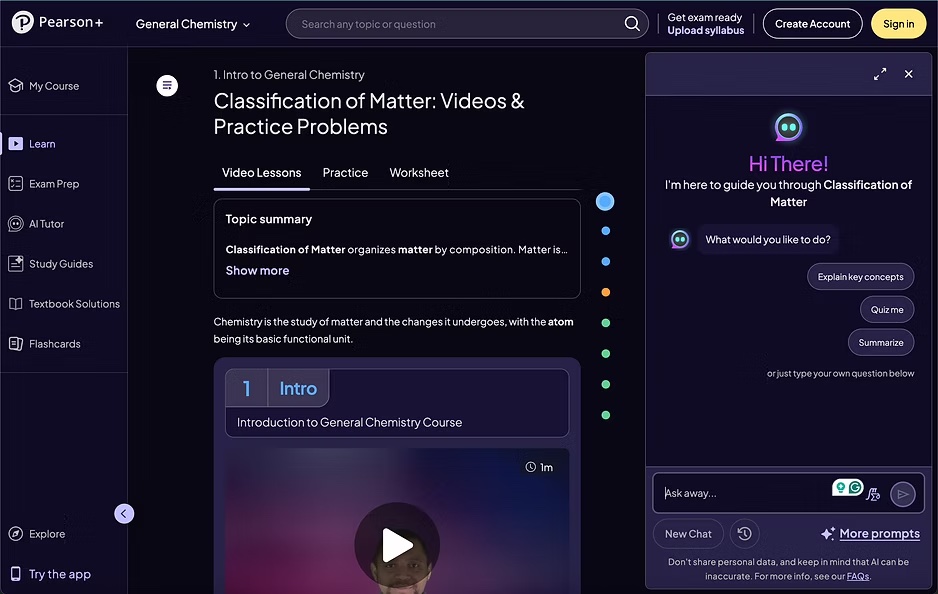
The AI Tutor is a real-time generative AI assistant built into Pearson+ Study Prep and Channels.
It works as a personal study companion: it explains concepts, analyzes textbook material and writes practice questions whenever a student asks.
The problem
Designing for generative AI is different from designing standard screens.
We had to handle slow responses while the model works, deal with wrong answers (hallucinations) gracefully, teach students how to ask good questions, and keep the tutor encouraging and focused on learning.
My role
I owned the end-to-end experience and interaction framework for the AI Tutor on mobile.
- Designed the full chat experience: entry points, quick prompts and micro-interactions
- Created patterns for processing states, typing indicators and thumbs up/down feedback
- Worked with AI engineers and product managers to map what the model could and couldn’t do
- Connected the tutor to Adaptive Practice and Exam Prep
Process
The decisions that made the difference.
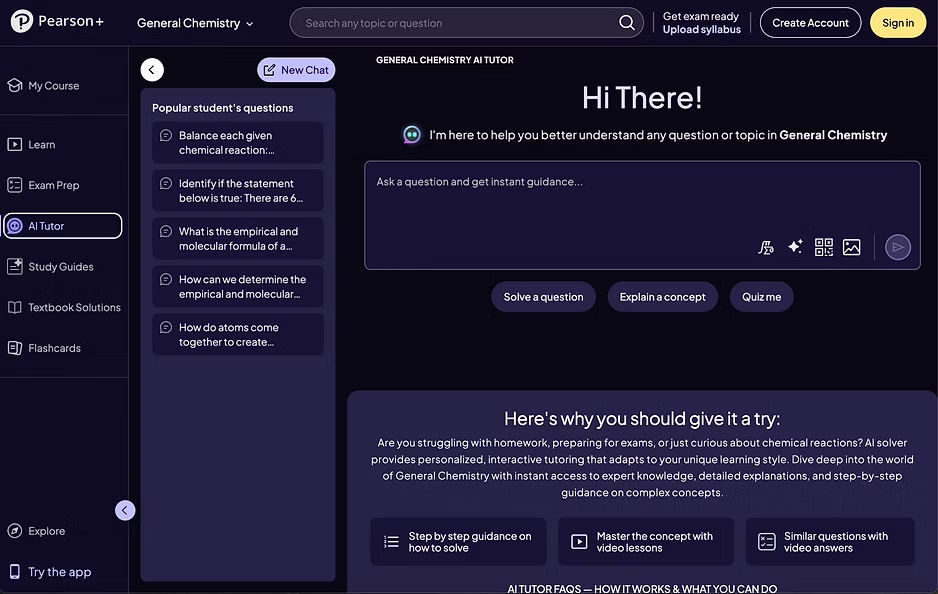
Never start with an empty box
Quick prompts give students a starting point, so they don’t freeze in front of a blank chat field.
Show what the AI is doing
Clear processing states and typing indicators make the wait feel shorter. Thumbs up/down feedback lets students flag bad answers and helps improve the model.
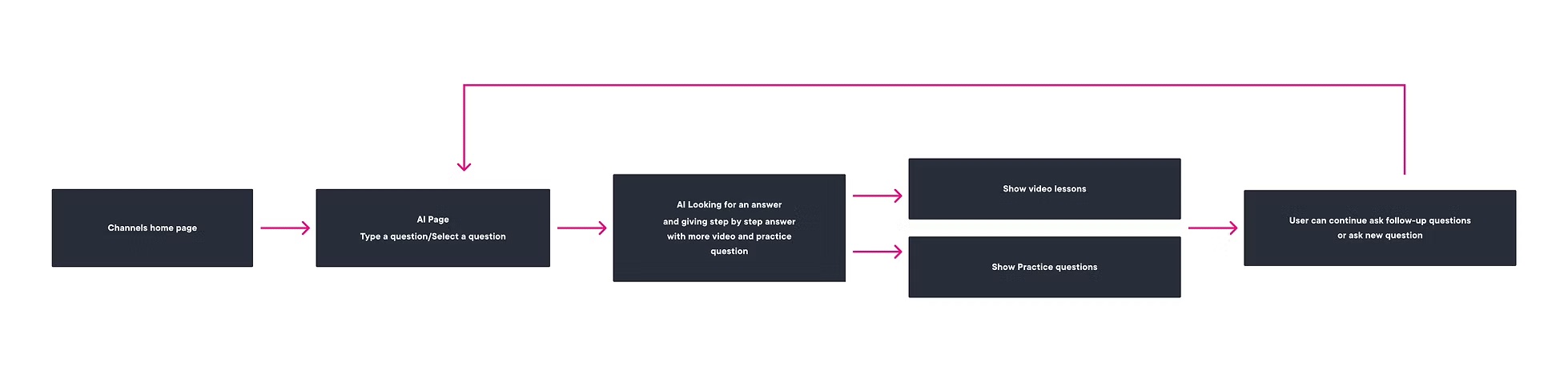
Turn conversations into practice
The tutor links to Adaptive Practice and Exam Prep, so a chat can become flashcards and a study path based on what the student asked.
Results
$10.9M
revenue goal reached by the Study Prep ecosystem the tutor is part of
The AI Tutor became a flagship feature of Pearson+. Designing around technical limits from day one cut engineering rework and brought the feature to market faster. In 360 reviews, cross-functional partners recognized me as a UX expert who balanced product goals, visual quality and technical usability.